 English
 Pусский
 Español
 Türkçe
 عربي
عربي 
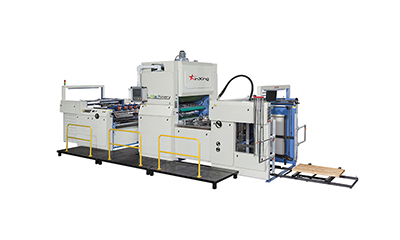
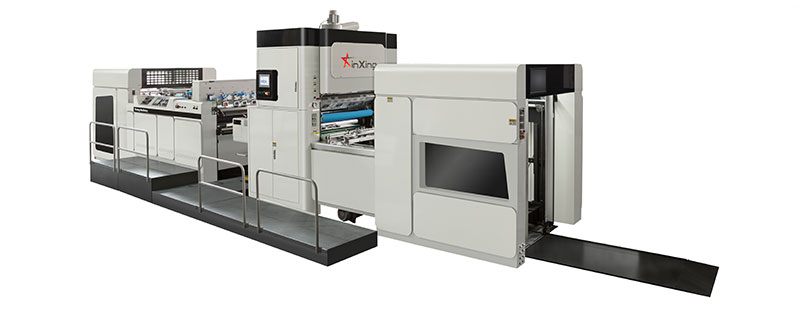
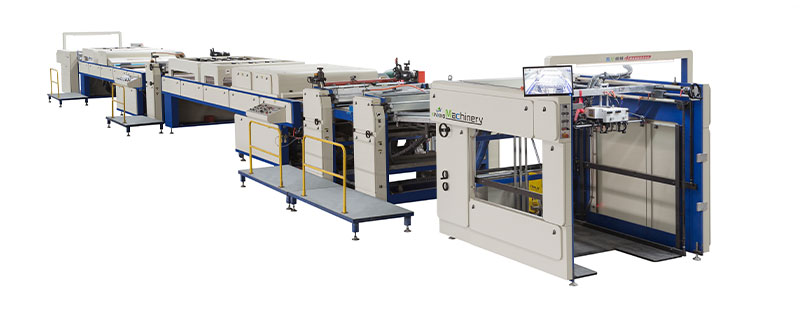
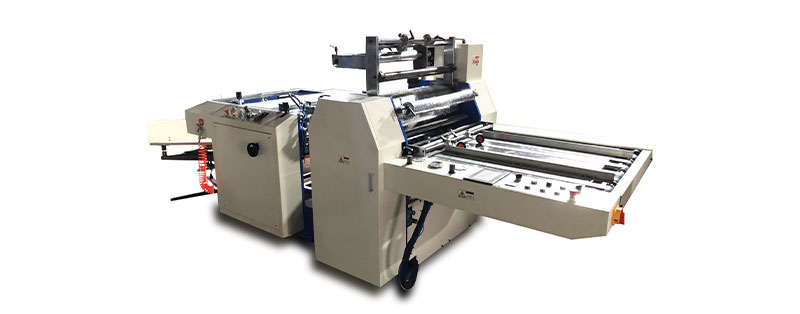
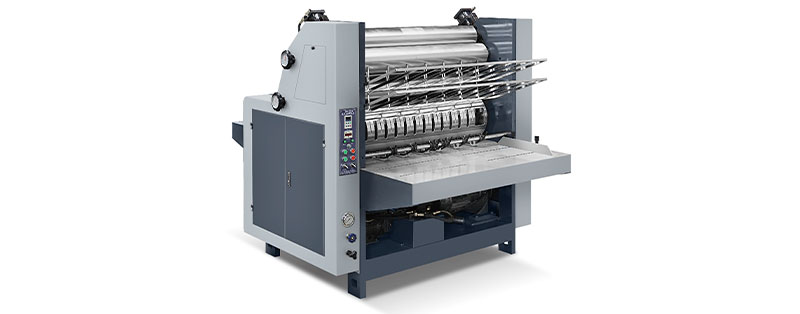
Paper pasting machines are indispensable equipment in packaging, printing, and handicraft industries, responsible for efficient bonding of paper materials. Proper maintenance not only extends the machine’s service life but also ensures stable performance, reduces downtime, and guarantees product quality. Below is a comprehensive guide to maintaining your paper pasting machine effectively.
1. Daily Maintenance Routines
Daily care is the foundation of machine longevity and should be performed before and after each shift:
- Clean Thoroughly: Wipe the machine’s surface, especially the glue application rollers, pressure rollers, and paper feed paths, with a lint-free cloth. Remove adhesive residue using a mild solvent (avoid corrosive chemicals that damage rubber or metal parts). Clear paper scraps, dust, and glue buildup from gaps and gears to prevent jamming.
- Check Basic Functions: Verify that the power cord, plugs, and switches are intact with no signs of overheating or fraying. Test the paper feed mechanism, glue supply system, and pressure adjustment knobs to ensure smooth operation. If abnormal noises, stuck paper, or uneven glue application occur, stop the machine immediately for inspection.
- Tidy the Workspace: Keep the area around the paper pasting machine clean and dry. Avoid placing heavy objects on the machine or exposing it to moisture, direct sunlight, or extreme temperatures, as these can damage electrical components and mechanical parts.
2. Regular Inspection and Calibration
Schedule monthly or quarterly deep inspections (depending on usage frequency) to maintain precision and performance:
- Lubrication: Apply appropriate lubricating oil to gears, bearings, chains, and other moving parts. This reduces friction, prevents rust, and ensures smooth operation. Avoid over-lubrication, as excess oil can attract dust and contaminate paper or glue. Use lubricants recommended by the machine manufacturer.
- Component Wear Check: Inspect key parts such as glue rollers, rubber pressure pads, blades, and belts. Replace worn or cracked rollers (which cause uneven gluing) and frayed belts (which affect paper feeding accuracy) promptly. Check for loose screws, bolts, or nuts and tighten them to prevent parts from falling off during operation.
- Calibration: Calibrate the glue supply volume and pressure settings to match paper thickness and bonding requirements. Ensure the paper feed alignment is accurate to avoid skewed or misaligned pasting. Use calibration tools provided by the manufacturer or consult technical manuals for guidance.
3. Handling Common Wear and Tear
Address specific issues proactively to avoid major breakdowns:
- Glue System Maintenance: Clean the glue tank, pipelines, and nozzles regularly to prevent glue solidification and clogging. Replace filters in the glue supply system to ensure uniform glue flow. Use high-quality glue compatible with the paper pasting machine to avoid corrosion or residue buildup.
- Electrical System Care: Dust electrical control panels and motors with a soft brush or compressed air (at low pressure) to prevent short circuits. Check fuses, sensors, and wiring connections for looseness or damage. If electrical components malfunction, contact professional technicians for repairs—do not disassemble them yourself.
- Blade Maintenance: For machines with cutting functions, keep blades sharp and clean. Dull blades can tear paper or cause uneven edges. Sharpen or replace blades as needed, and store spare blades in a dry, safe place.
4. Storage and Long-Term Care
For machines not in use for extended periods:
- Complete Cleaning: Perform a thorough cleaning of all parts, especially the glue system, to remove all residue. Dry the machine completely to prevent rust.
- Protective Measures: Cover the machine with a dustproof cloth to shield it from dust and moisture. Elevate the machine slightly if the floor is damp, or place moisture-absorbing agents nearby.
- Periodic Activation: Run the machine for 10–15 minutes every 2–3 weeks to lubricate moving parts and prevent seals from drying out.
5. Safety Precautions During Maintenance
Prioritize safety to avoid accidents:
- Always turn off the power and unplug the paper pasting machine before cleaning, lubricating, or replacing parts. Lock the power switch if possible to prevent accidental startup.
- Wear protective gear such as gloves and goggles when handling sharp parts or cleaning with solvents.
- Follow the manufacturer’s maintenance guidelines and avoid modifying machine parts without authorization.
- Keep maintenance records, including dates of inspections, parts replaced, and repairs, to track the machine’s condition and plan future maintenance.
Conclusion
Maintaining a paper pasting machine requires consistency, attention to detail, and adherence to best practices. By implementing daily cleaning, regular inspections, proactive wear management, and proper storage, you can maximize the machine’s reliability, reduce maintenance costs, and ensure high-quality pasting results. Remember, timely maintenance is far more cost-effective than repairing or replacing a damaged machine—invest time in care to keep your equipment running efficiently for years to come.